
When a user is granted Can View permissions for a specific plan, their ability to interact with that plan is determined by their ownership level of individual items. Typically this user persona will have a Contributor role (if they own goals) or a Viewer (do not own goals) in Cascade.
- Settings: You cannot adjust any plan settings (including name of plan, permissions, alignment)
- Visibility: You have full visibility into the entire contents of the plan.
- Editing: General plan editing is restricted; however, you can edit specific items where you are listed as a Collaborator or Owner.
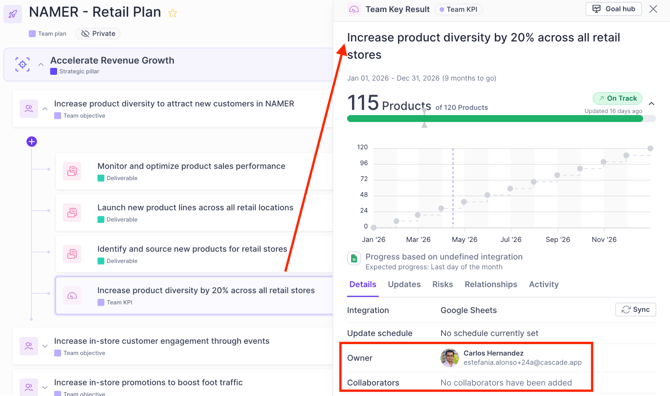
For example, let's look at a contributor, Seline  who owners the Team objective, and the three underlying Deliverables. The underlying KPI has a different owner.
Note: this same principle applies to collaborators on a goal.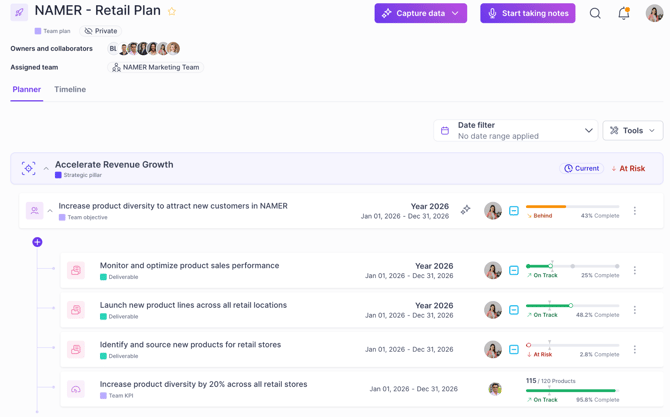
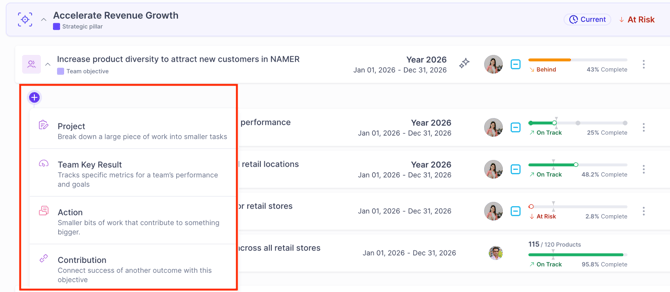
As an owner of the Team objective, Seline can edit this existing objective and add new elements to the objective, such as a new deliverable or a new KPI:
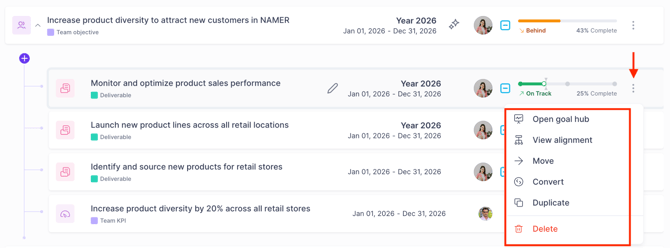
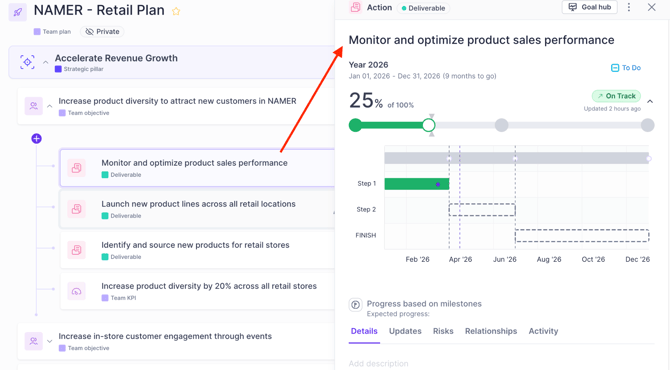
As an owner of the deliverables, Seline can click the 3 dots to apply changes or click on the deliverable to edit it (this includes adjusting progress, changing the title, date, adding collaborators)
For the KPI where Seline is not an owner or a collaborator, she can only view it and cannot make any further edits to it (this includes the inability to leave an update on the KPI directly)
If you have a user that has 'can view' permissions on a plan, but does not own or collaborate on any goals, they will not be able to edit at all.