
Gathering updates for meetings, leadership reports and board reporting can be time consuming. Update Requests helps you request updates and ensure they are completed on time.
Creating a request
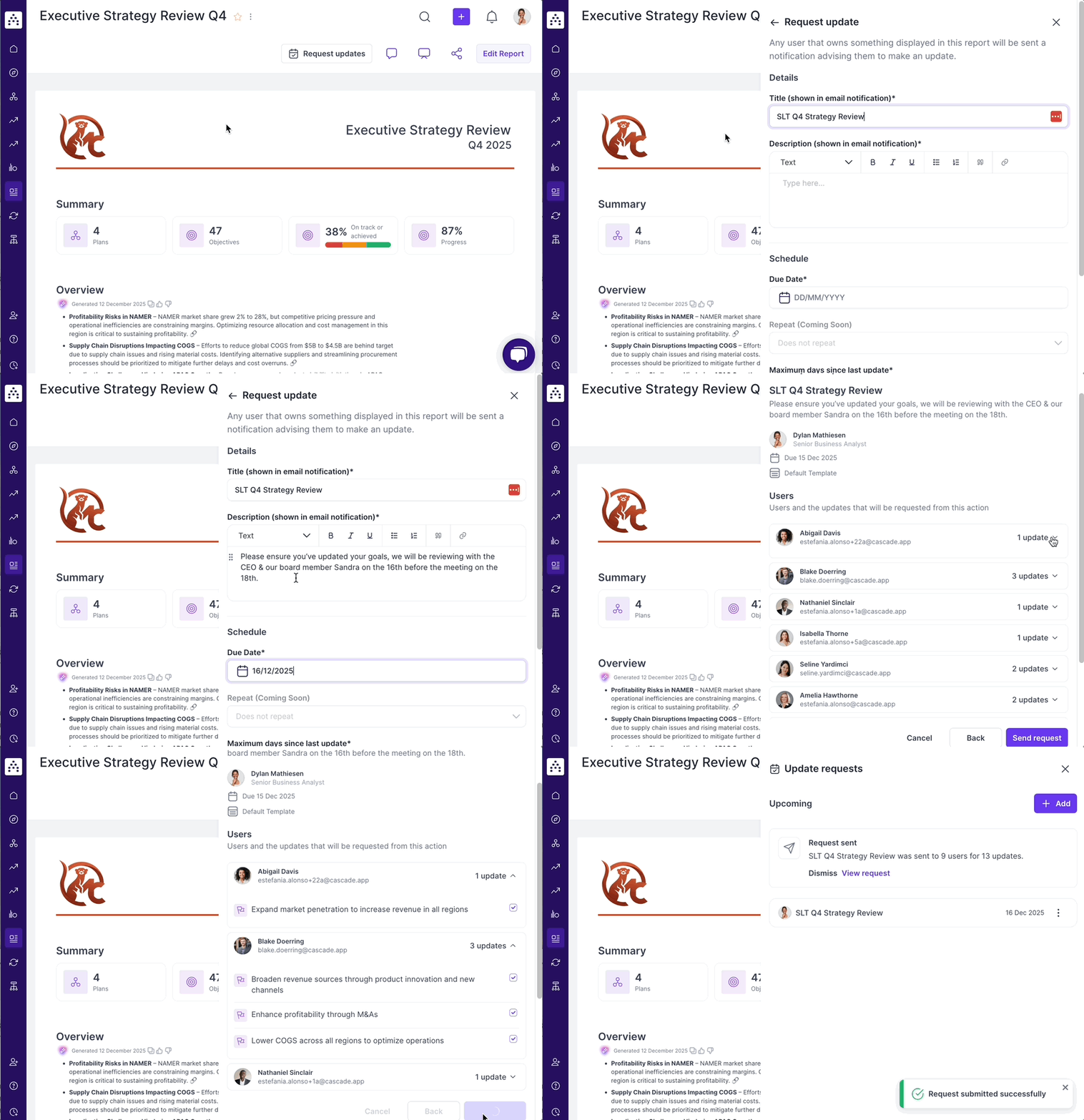
A request can be created from any report by a user that has edit access to the report and is a Contributor role or above.
Requests specifically ask for updates on the goals that appear on the Report (in Tables or the Objective Summary Widget). The specific list of goals can be customised based on the time since the last update, or manually selected goal by goal (on step 2 of the flow).
Checking on progress
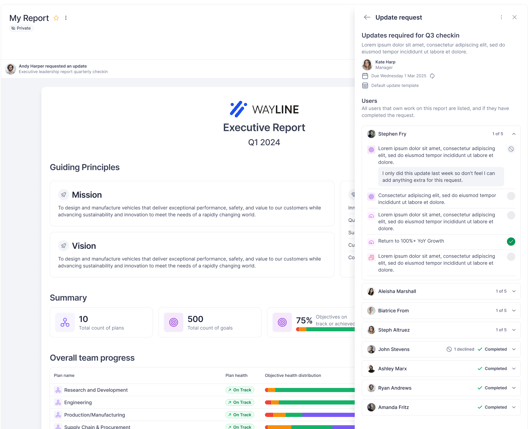
It can be challenging to get everyone to complete their updates, but requests allows you to see which updates have been completed. You can see which updates have been completed by opening the requests sidebar from the report and opening the specific request.
What do users receiving requests see?
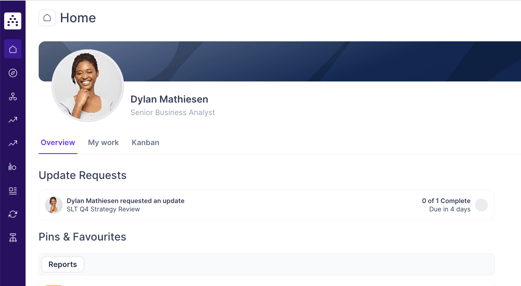
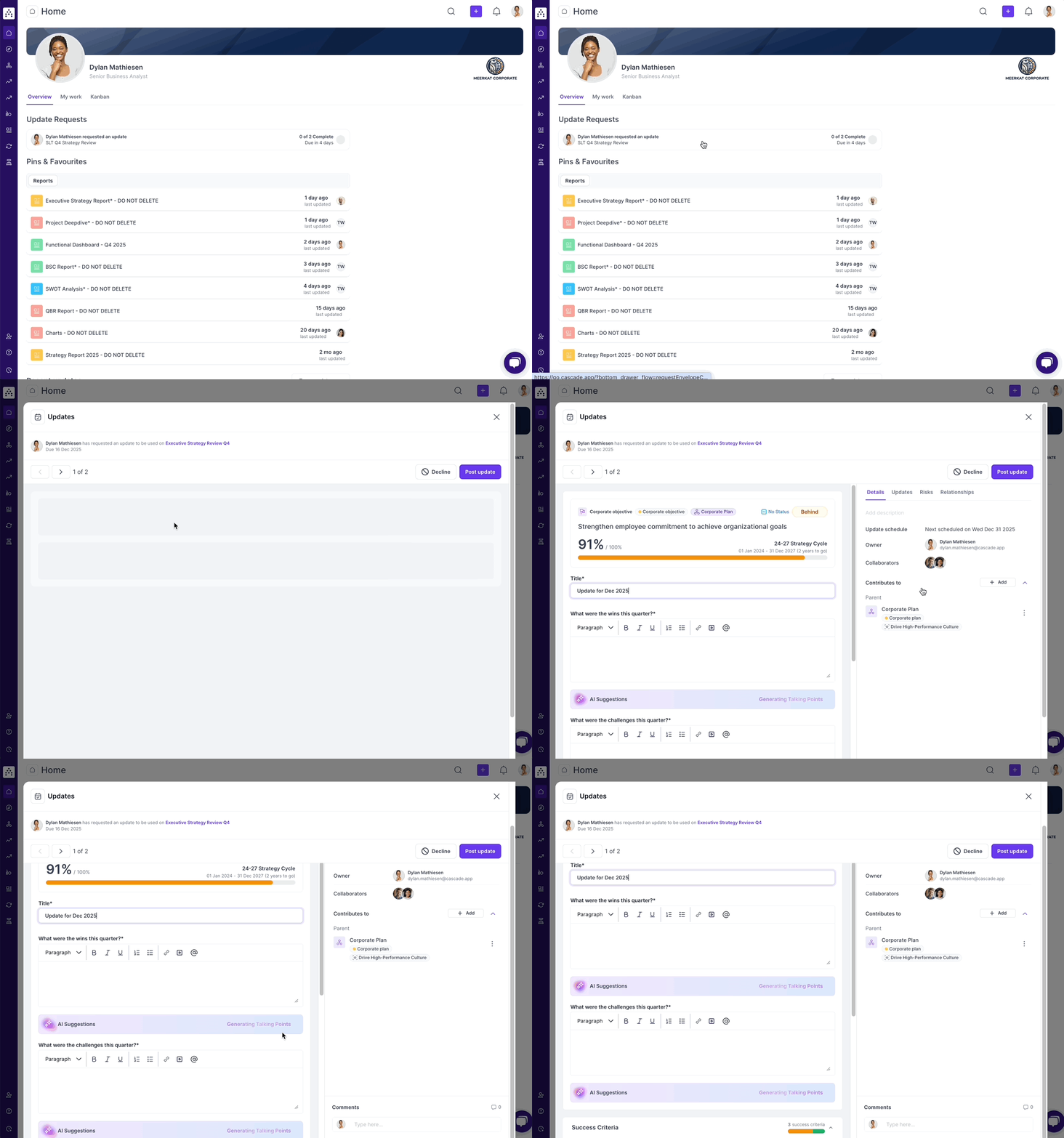
A user logging into the product can see their requests presented at the top of the homepage.
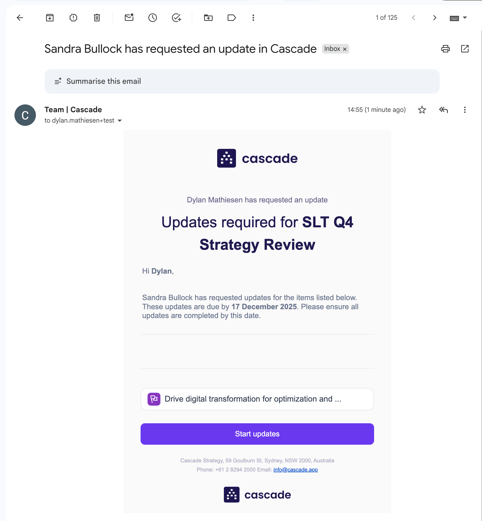
When a request is sent, users will receive an email containing details about the request, including any description added to the request. We recommend adding important context to the description to make the people completing updates feel like their inputs are valued.
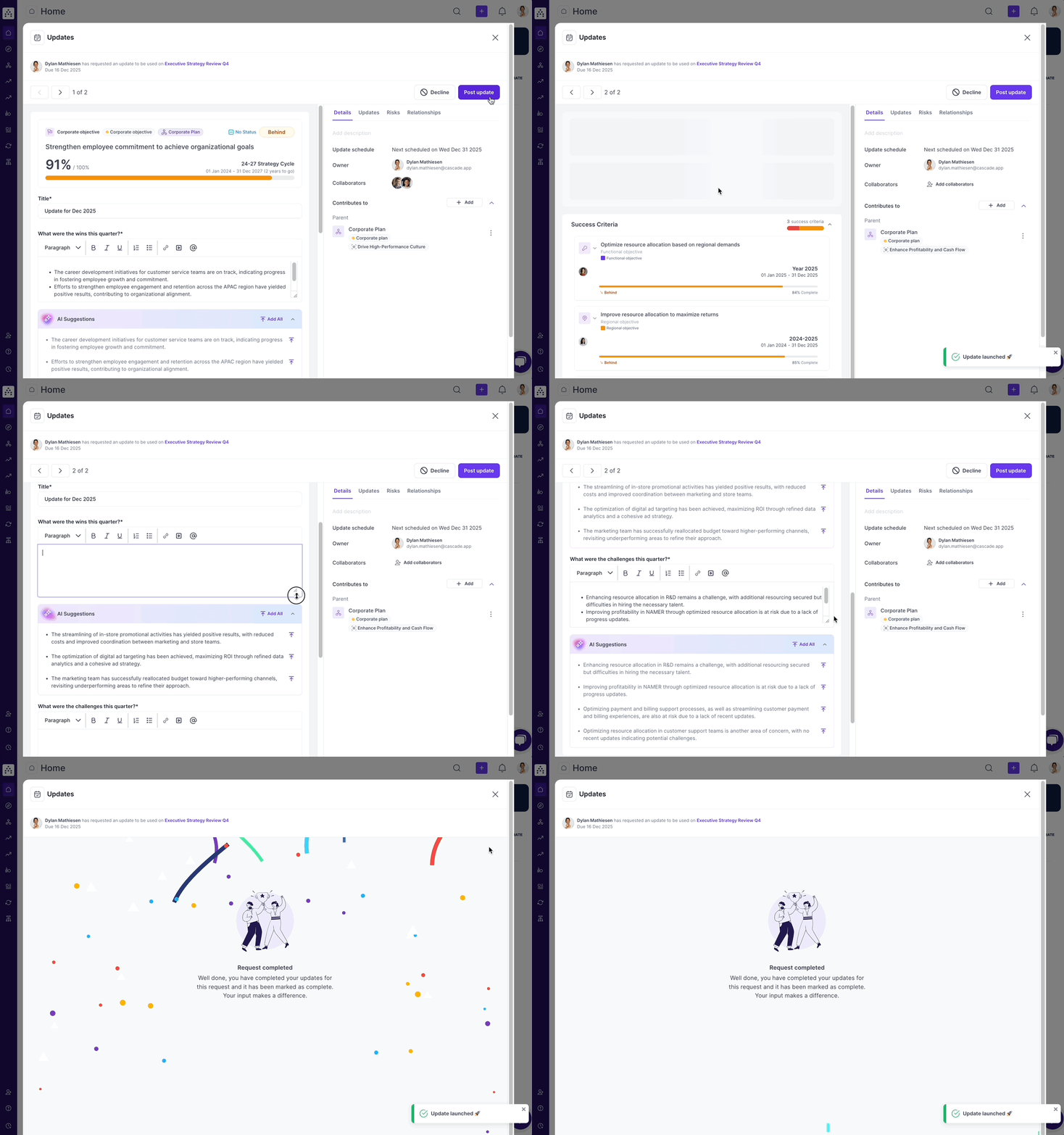
Opening a request from the homepage or email will bring you to the update carousel that sequentially walks you through each of the required updates.
When complete, the request is marked as done on the homepage.
FAQs
What does the system consider a valid update?The system only considers a direct narrative update made to the top-level objective itself.
Who can make a request?
To make requests, users require edit permission to the report and the Contributor role or higher.
How do I skip goals that have recent updates?
When creating a request you can adjust the “Maximum days since last update” to request updates for goals that haven’t had a recent update. For example, if you set this to 1 Month, any goals with a written update in the last month won’t receive an update request.
How do I select the questions?
Admin users can configure update templates in the Scheduled Updates tab in the Admin settings of the product. These templates when enabled can be selected in requests and used to request structured updates.
Which goals does the request apply to?
Currently requests looks at the top level of goals in Tables and Objective Summary widgets. We will be adding support to include contributing goals in future.
Who gets notified?
The owners of goals selected in the report get notified about the required updates. The goals required for updates can be manually controlled on the second step of request creation.
How do users get notified?
Cascade sends an email an in-app notification. Users can also receive desktop notifications for update requests if they have notifications enabled in their browser or have installed Cascade.
What happens when I delete a request?
When a request is deleted, the request will be removed from the list in reports and users will no longer see the requested update on their homepage. Clicking on emails or notifications of a request that has been subsequently deleted will show a message that the request has been deleted. Any updates completed as part of the request will not be deleted.
Can I send a request from someone else?
No, we don’t allow impersonation to make requests on other users behalf.
Why didn't I get my own email notification, I created the update request?
Where possible, we avoid unnecessary email spam, and therefore don't send the requester an email. You can see the update request from the relevant report, home view, or notifications.
Why did I get an email notification for an update? I can't find it in either my home view or in the report?
We remove stale requests that are overdue by more than 1 week, or requests that are set more than 1 month into the future